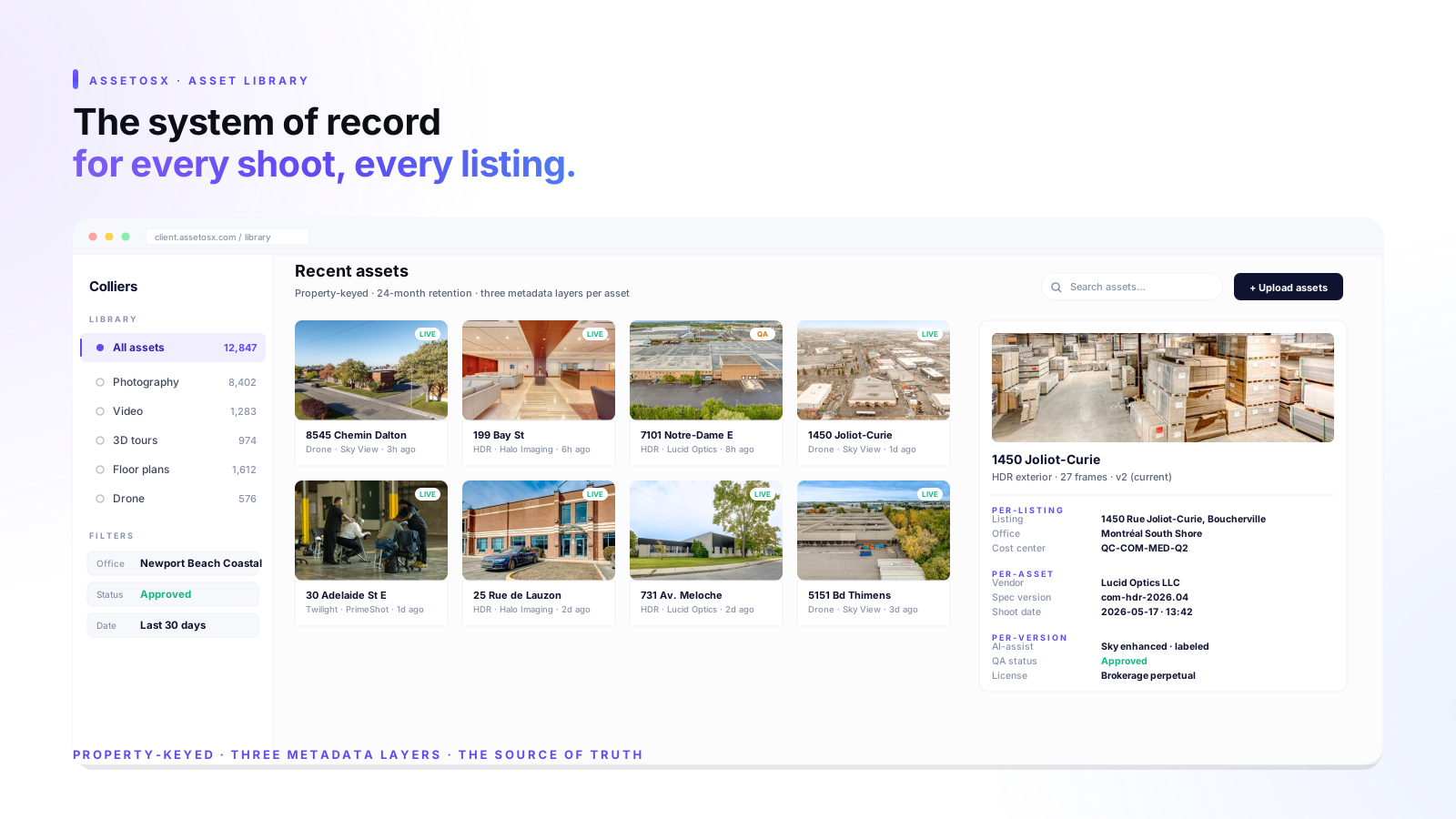
The asset library is the part of an enterprise media program that nobody talks about until it breaks. Procurement gets attention. Pricing gets attention. Vendor SLAs get attention. The library sits in the background. And eighteen months into the program, the question that surfaces every operational problem is: can the marketing team retrieve the assets for the closed listing on 1240 Pacific Avenue, on a Tuesday, in under two minutes.
When that question is answered yes, the program is healthy. When the answer is no, every workflow downstream of the library has already started maintaining its own private copy of the assets, and the program is on a glide path back to per-office spreadsheets and shared drives.
What the library actually does
The asset library is not a folder structure. It is the operating system’s memory. Five downstream workflows depend on it, and the quality of those workflows is bounded by the quality of the library.
- MLS and listing-platform distribution. The library pushes the canonical hero and gallery set to the MLS, to the brokerage’s site, to syndication partners. If the library is the source, the distributions are consistent. If the library is one of several archives, the distributions drift.
- Social media cutdowns. Short-form social requires re-edits of the same source. If the library holds the editable masters with consistent metadata, social cutdowns are an automated workflow. If not, every cutdown is a vendor or freelancer request.
- Agent re-marketing and case studies. Six, twelve, eighteen months after closing, an agent wants the deliverable bundle for a deal sheet. The library answers in seconds. Without the library, it is a phone call to a former vendor.
- Compliance and audit trail. AI-assist flags, virtual-staging watermarks, license rights all live on the asset record. The library is the auditable artifact.
- Portfolio analytics. Cost per shoot, cost per listing, vendor performance, listing-to-live timing all roll up from data the library stores. Without it, finance is matching invoices to memory.
The library is not a storage bucket. It is the system of record that every other workflow depends on. Treat it like the database it actually is, and the program scales. Treat it like a Dropbox, and it stops being the source of truth inside a quarter.
The metadata stack that makes the library queryable
Three layers of metadata are required for the library to answer the questions marketing actually asks. Anything less and the library is a storage bucket with a search bar.
Per-asset
Listing address, property type, shoot date, vendor, spec version, deliverable type (RAW, retouched, video, 3D, floor plan), file format, resolution, status (delivered, in QA, approved, archived), license rights. This is the descriptive layer.
Per-listing
Associated agent, office, region, cost center, brokerage brand, listing-side identifier (MLS number, internal ID), list date, close date. This is the relational layer that connects assets to the rest of the operating system.
Per-asset-version
Edit history, AI-assist flag, watermark/disclosure status for virtually staged or AI-enhanced images. This is the compliance and audit layer. The MLS, regulators, and downstream brokers all read from it eventually.
Why shadow libraries form, and how to kill them
A shadow library is the marketing team’s parallel Dropbox. The sales team’s SharePoint. The listing coordinator’s personal hard drive. Shadow libraries do not form because the official library is missing features. They form because the official library is one click harder to use than the shadow, on the workflows that happen most often.
The two workflows that decide library adoption are upload from the field and retrieval from the office. The shadow wins on those two and the official library loses, every time.
Make upload from the field one tap
The vendor delivering the shoot should upload to the library in the same gesture that closes the job. Not in a separate portal. Not by emailing a Dropbox link the office then re-uploads. The platform’s vendor app should accept the delivery and write it into the library with metadata pre-populated from the booking.
Make retrieval from the office instant
Marketing teams retrieve assets twenty times a week on a busy office. The retrieval flow should be: type the listing address, see the gallery, drag the asset into the next workflow. If it requires logging into a separate system, navigating folders, or asking a vendor for a link, the shadow library wins by default.
Library governance, three rules
- One library, one URL. If marketing coordinators are bookmarking two libraries, the program is already in the failure mode. Audit quarterly and remove the duplicates.
- Every asset has the three metadata layers.Deliveries that arrive without the layers should be rejected at QA. The vendor sends the metadata or the delivery does not land.
- Retention is policy, not preference.Closed listings stay queryable for 24 months minimum, archived but recoverable beyond that. Marketing coordinator turnover should not affect retrieval.
AssetOSX runs the asset library as a first-class layer of the platform for enterprise customers. The full library model is summarized on the about page and the broader operating system context is covered in our earlier piece on moving from vendor spreadsheets to a real estate operating system.